Instructions for completing the assignment:
- To find the homework assigned to you, go to the “Speaking Homework” section in the left-hand menu.
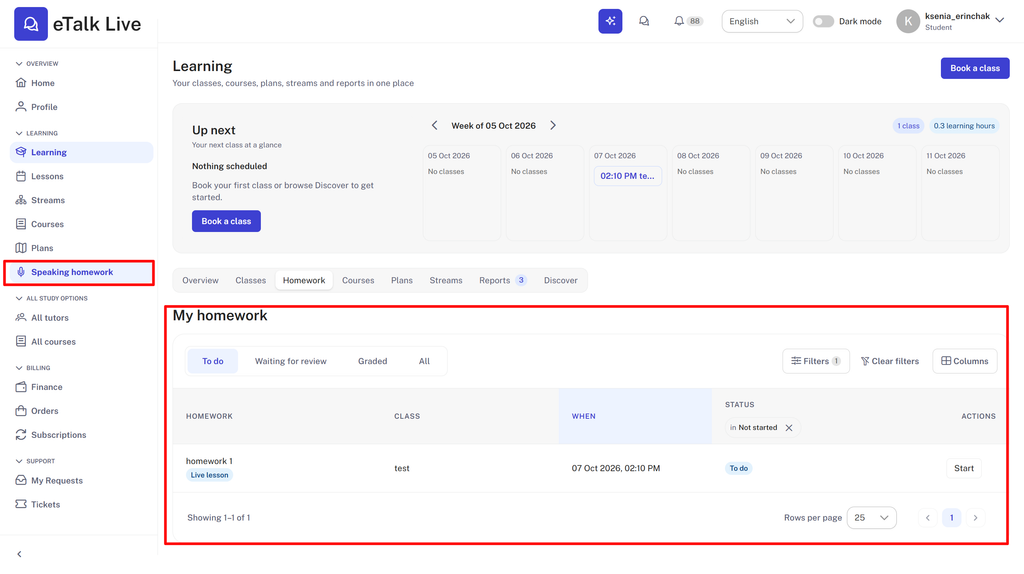
Assignments are divided into 4 categories:

- To do – tasks you still need to complete;
- Waiting for review – assignments you have completed that are awaiting the teacher’s review;
- Graded – assignments graded by the teacher;
- All – all of your homework assignments.
2. To begin, click “Start” next to the relevant task.

Next, you’ll see the assignment details.
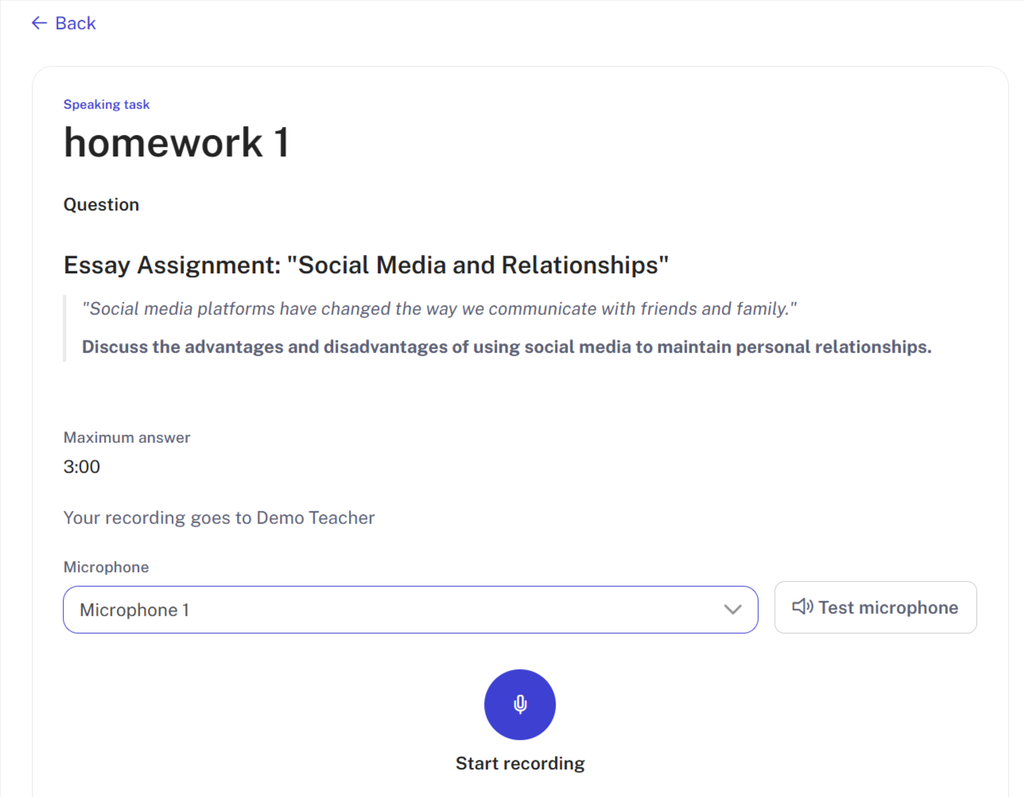
3. Please note: Assignments can be either oral or written.
In any case, even if the assignment is written, you must test your microphone before you begin working on it.

- If the assignment is oral (describing a picture, answering questions orally, etc.), speak your answer after tapping the microphone icon.
- If the assignment is a writing task, record a short message (just a couple of seconds) to switch to the chat with your teacher.
4. If the assignment is oral:
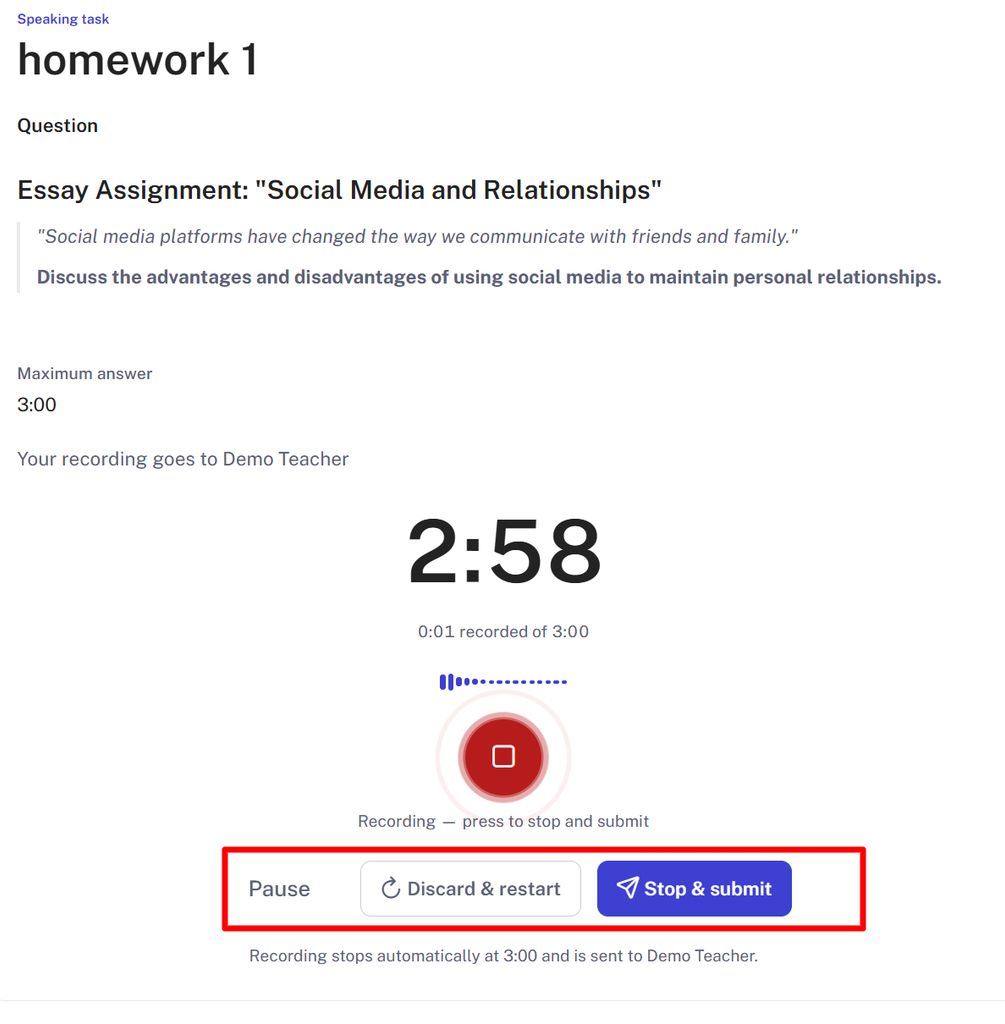
While recording your answer, you can pause or cancel the recording and start over. Once you have successfully recorded your answer, submit it to the teacher by clicking “Stop and Submit.”
5. If the assignment is a written one:
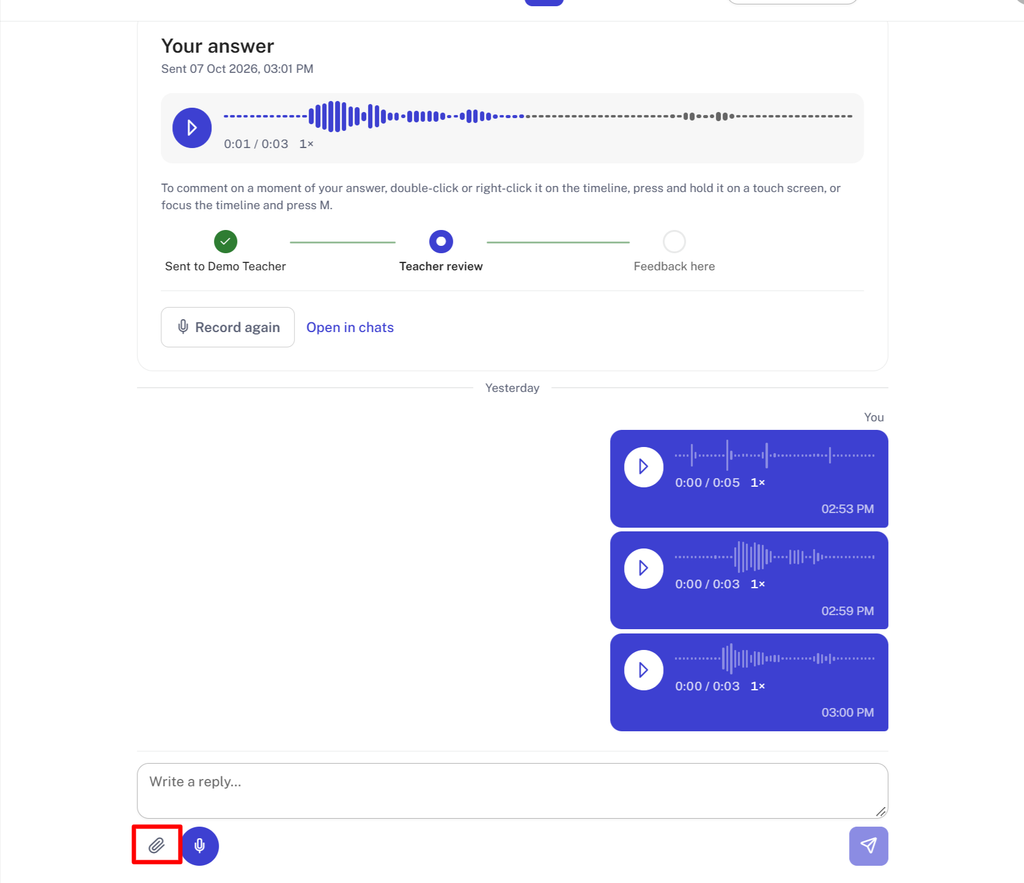
After you send a short voice recording, you’ll be taken to a chat with your teacher. There, the option to write a reply to the teacher is available. Please note that you can attach any file by clicking the paperclip icon in the bottom left corner.
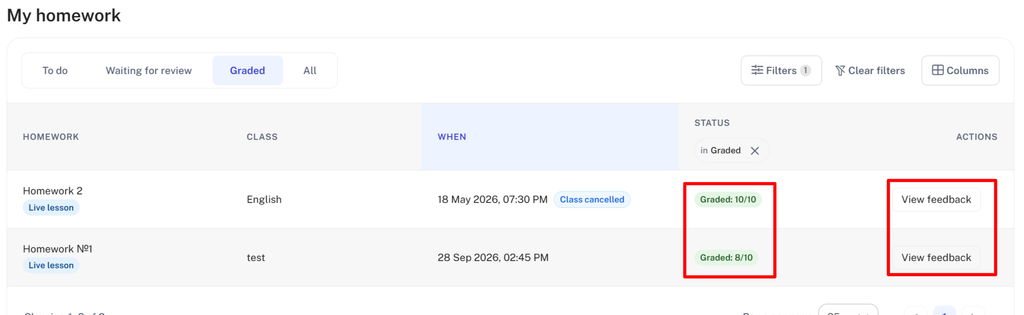
6. Once the teacher has checked your answers and assigned a grade, your homework will be moved to the “Graded” section. There, you can see the teacher’s grade and read their feedback.